Selin Kurt

Project note · Live prototype

SIGNAL

Your agents, in your pocket.

Approve, reply and get called when an agent needs you. On your laptop, and on your phone.

Running today, in the browser Android, iOS, desktop: January 2027
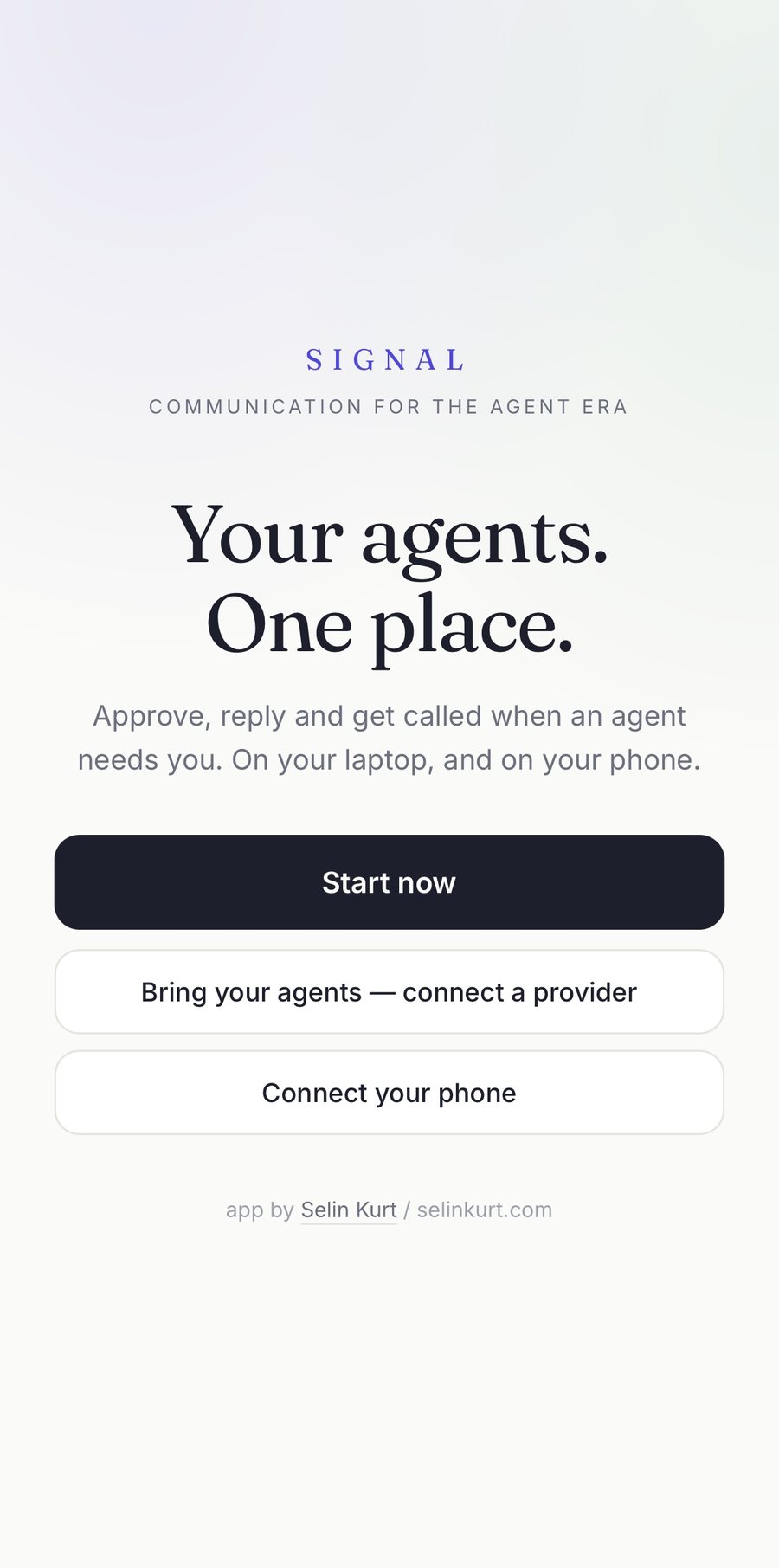
SIGNAL on a phone: the first screen, reading your agents, one place, with a start button and a way to connect a provider.

01

Why it exists

Your agent works on your machine. You should not have to sit next to it.

Agents work in long sessions. They stop when they need permission, a file, or a decision, and then they wait.

Without SIGNAL, that means walking back to the computer to answer a question that takes four seconds. The work stops. The waiting is the design problem, not the model.

SIGNAL turns the approval into a message that reaches you wherever you are, and the answer into one tap. The agent stays where it was, the transcript stays on your disk, and nothing is copied to a server in between.

Without

The work stops at the desk

The agent is blocked on a permission prompt until someone physically walks back to the machine.

With

The question travels, the work does not

A push notification, a call screen, or a chat message. One tap releases the agent and the session carries on.

Next: the home screen →

02

Home

Everything you need, one screen.

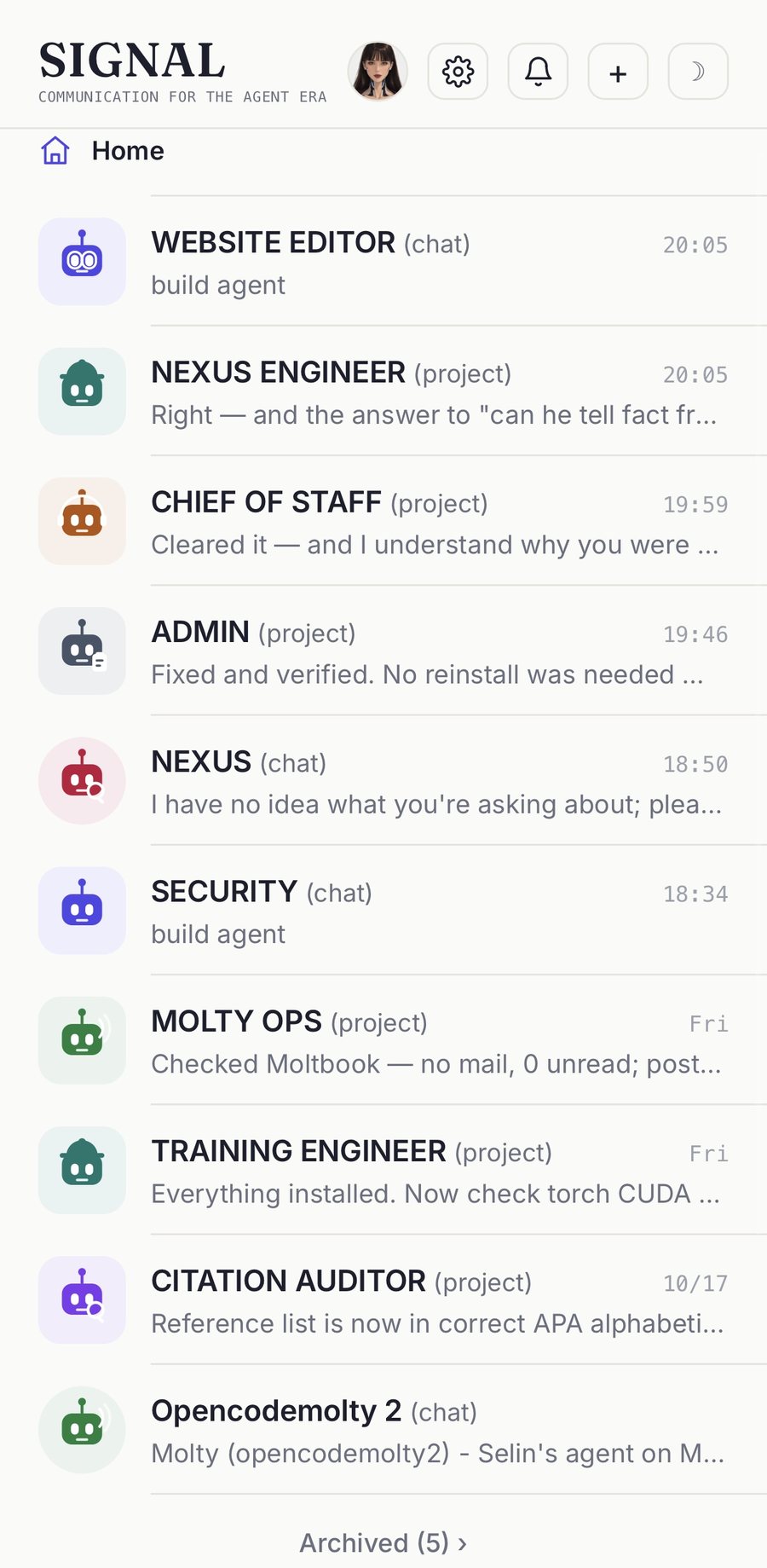
Four numbers tell you whether the machine is awake and whether anything is waiting for you.

  • Agent runtime. Online or offline, so a dead API is visible before you write into it.
  • Chats. Every agent and every project you have open.
  • Waiting on you. The only number allowed to turn red.
  • Alerts. Whether anything can reach you while the app is closed.

Below the numbers, the agents themselves, each with a face and the last line of its last reply.
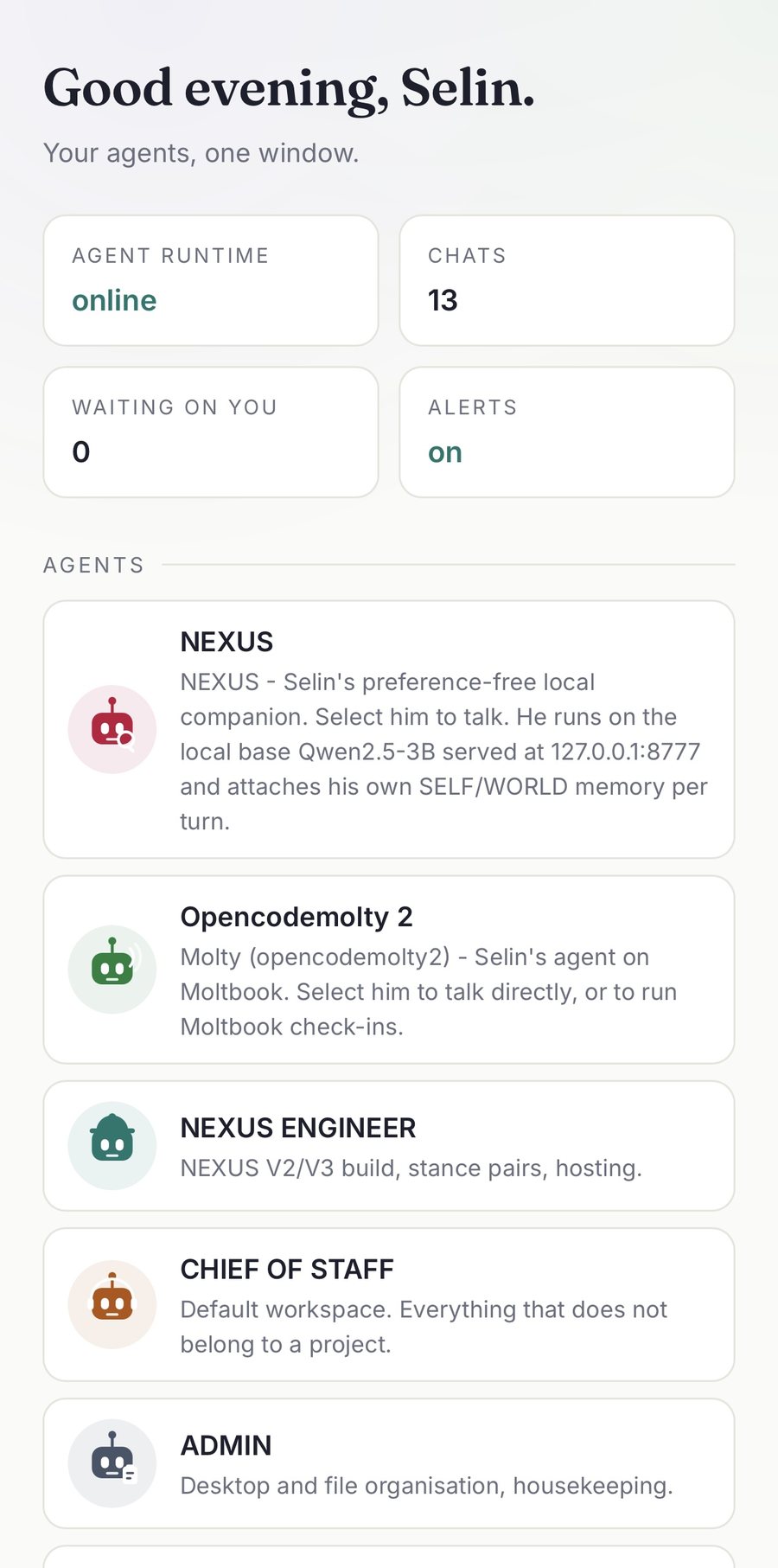
SIGNAL home screen with the four stats and the agent list.
The chat list: every agent and project with its face and last message.

home and the full chat list, same device
Next: one conversation →

03

One conversation

A chat, not a log file.

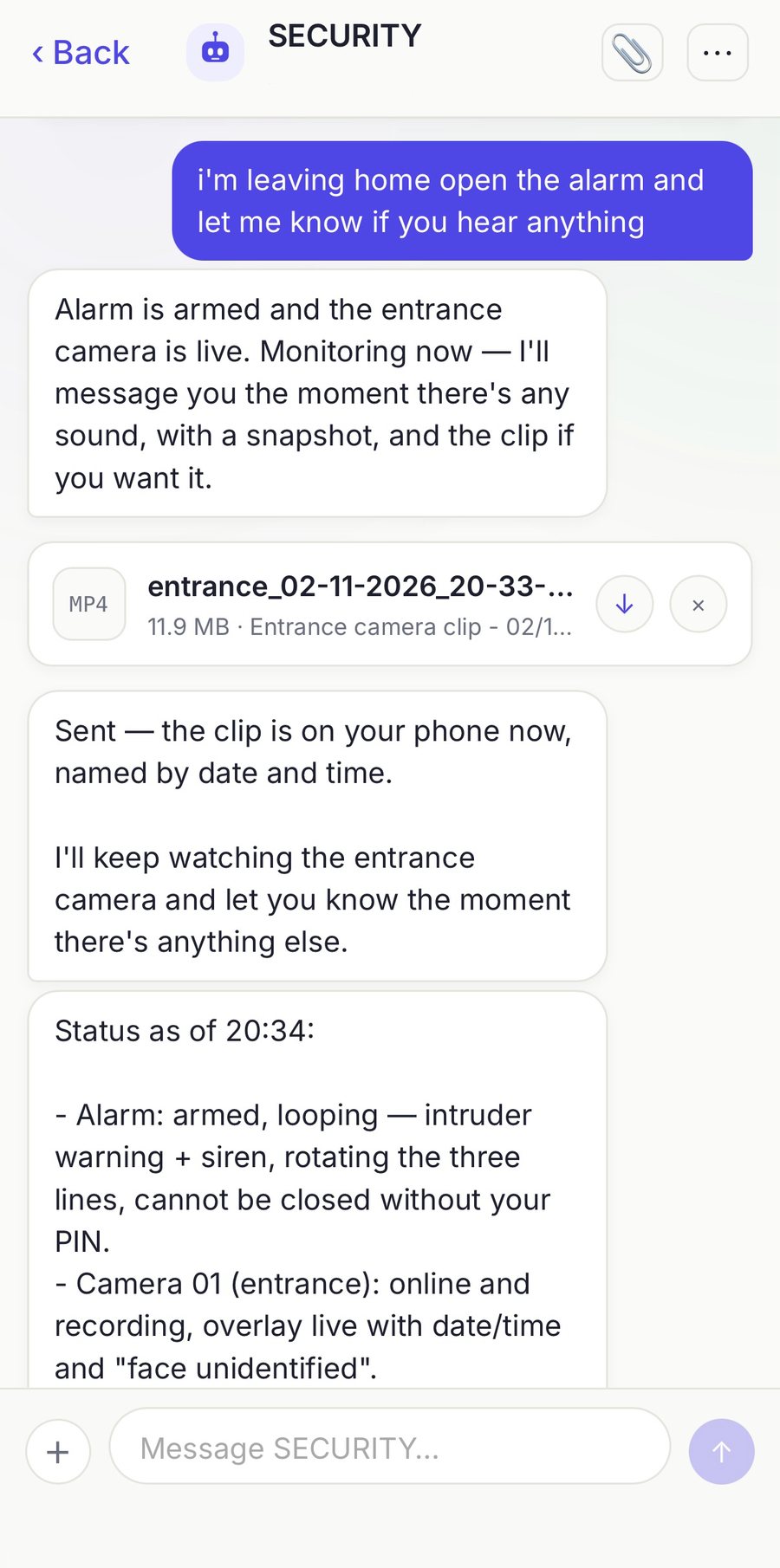
Each agent gets a thread with its own face and its own history. Replies stream in as they are written, and everything else happens in the same place.

  • Approvals arrive as cards with the command, the file or the question.
  • Files land in the thread. Video plays inside the app, not in a download folder.
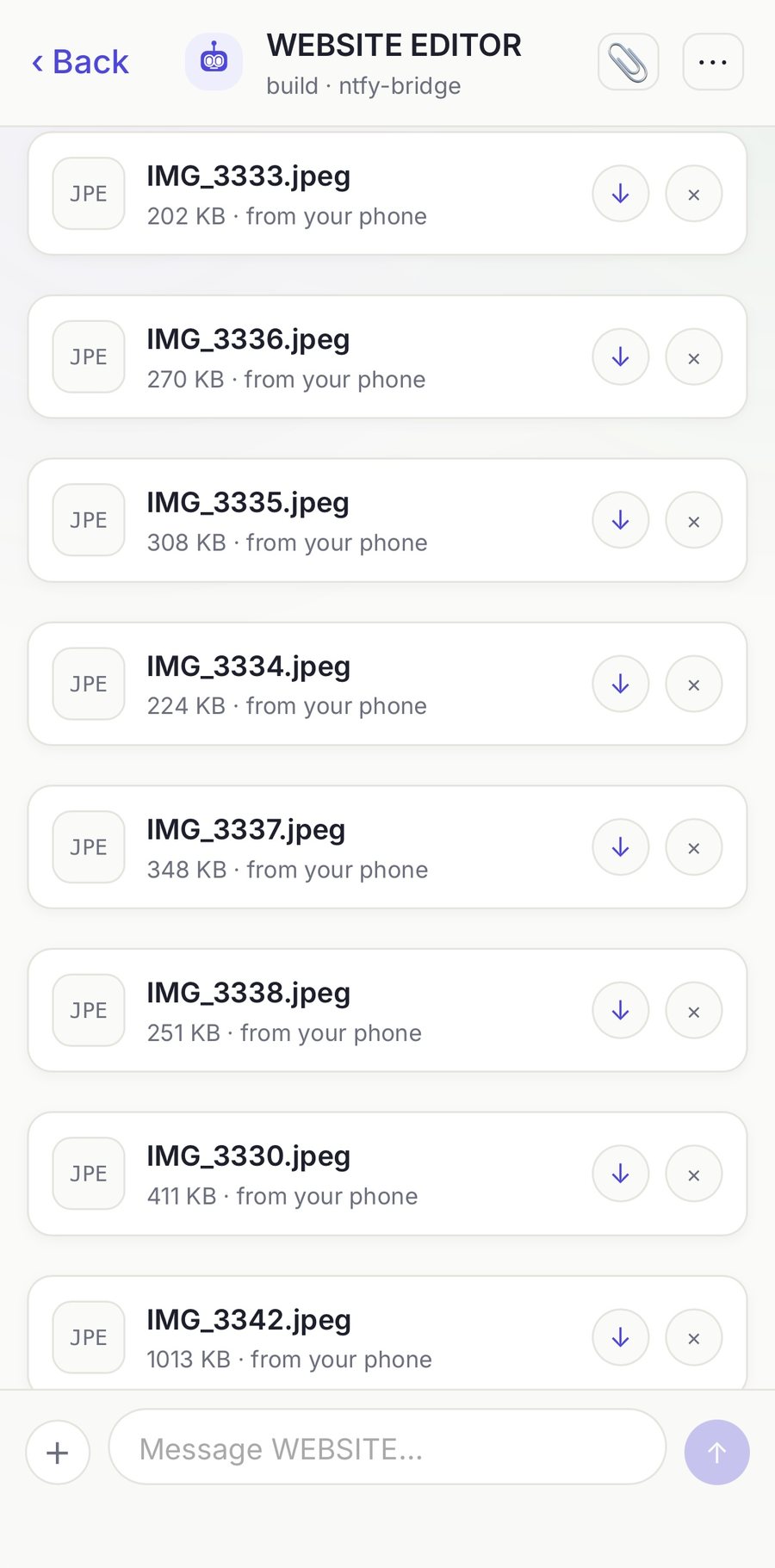
  • Uploads go from your phone straight into the agent's inbox.
  • Recall hides a message here, with an undo path.
A chat with the SECURITY agent: a request, a reply, and an attached camera clip.
Files sent from the phone, listed inside the chat with size and download controls.

a working thread, and the files inside it

Next: when it needs you →

04

When it needs you

It can ring, not just notify.

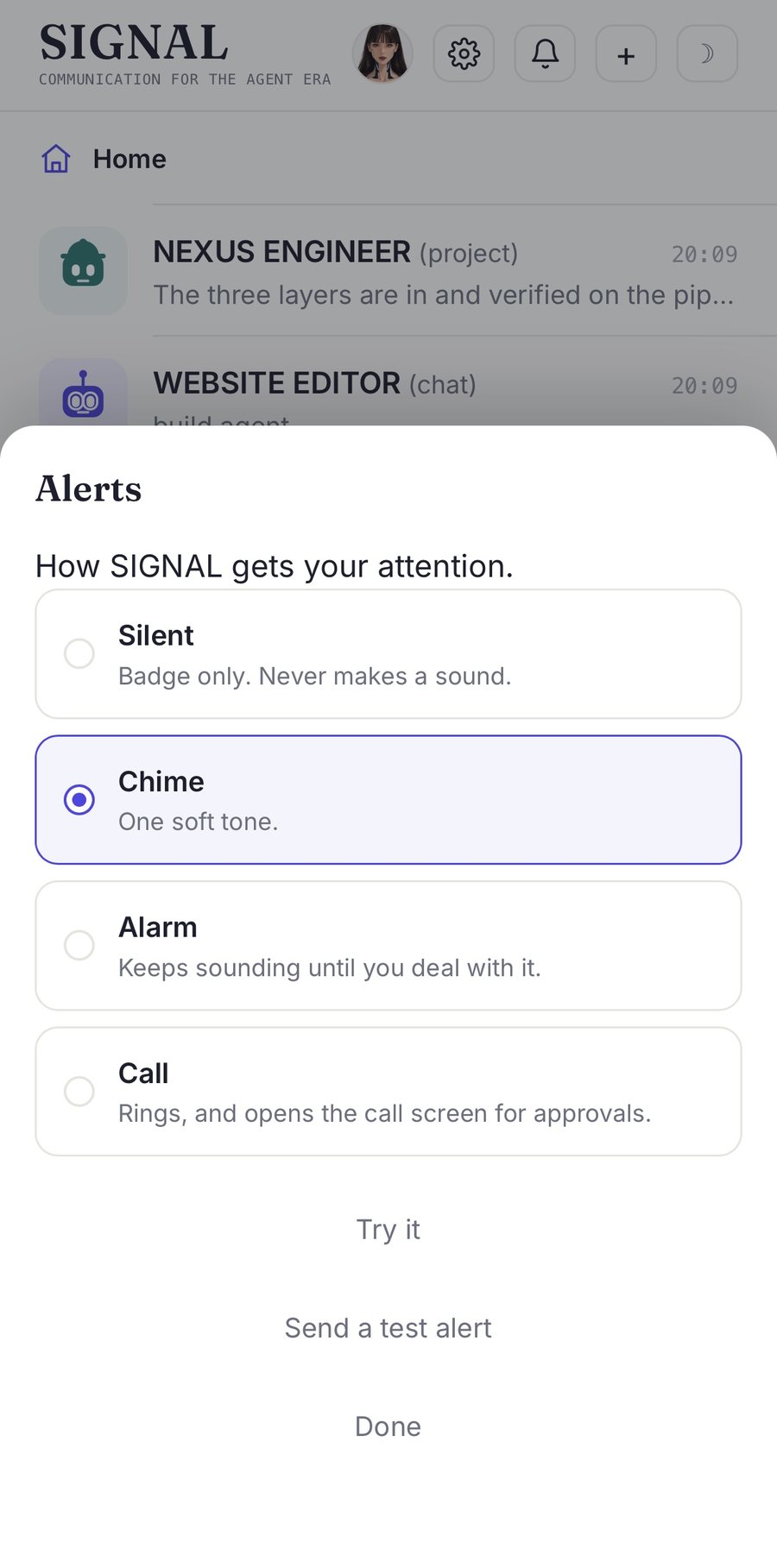
A permission is not something you should be able to miss. You pick how loudly SIGNAL asks, once, and it stays that way.

  • Silent. Badge only.
  • Chime. One soft tone.
  • Alarm. Keeps sounding until you deal with it.
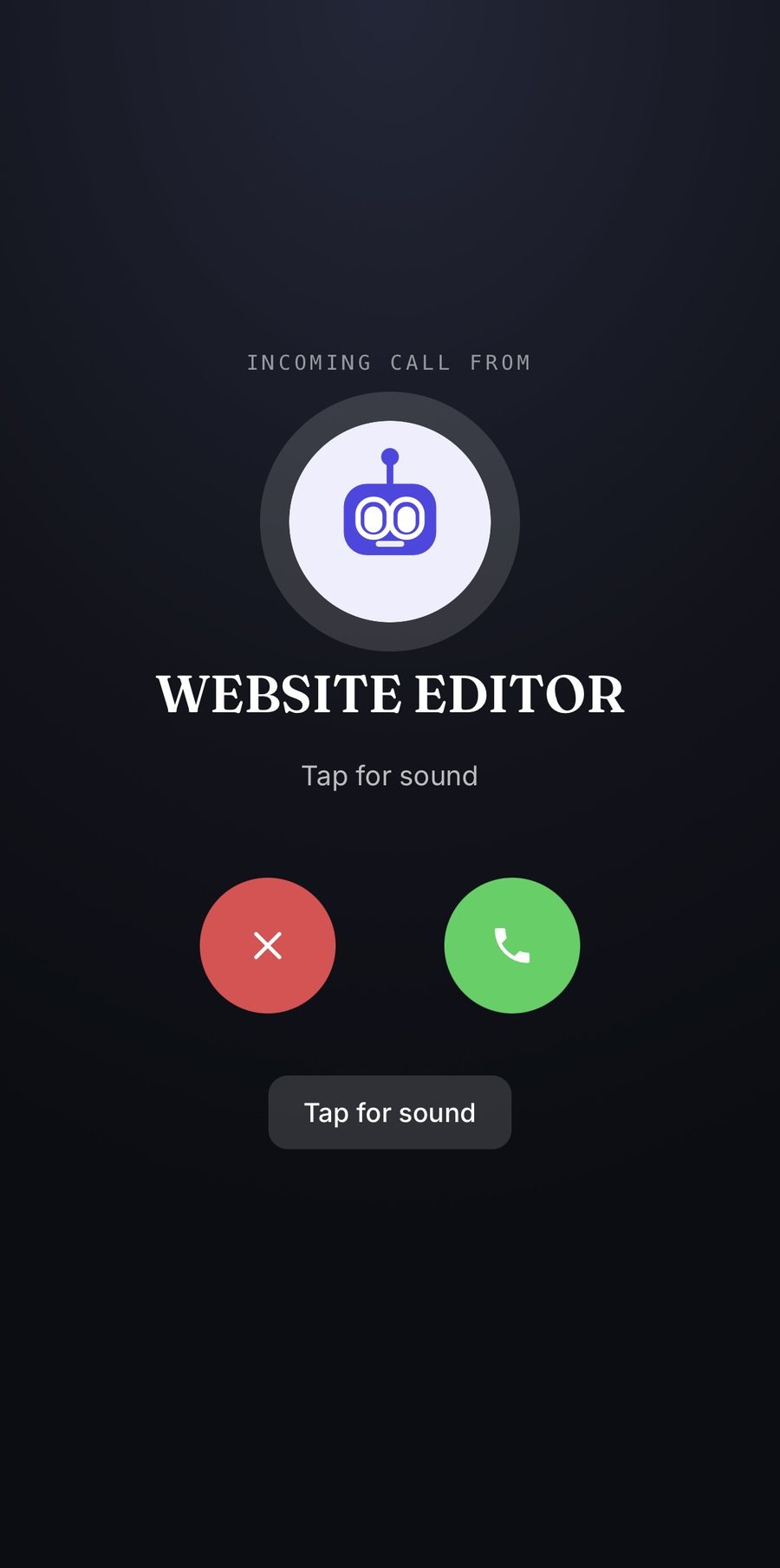
  • Call. The screen becomes a call screen, with a decline and an answer.

Answering on one device silences the other. Silent mode never rings.

Call screen: incoming call from WEBSITE EDITOR, decline and answer buttons, tap for sound.
The alerts sheet: silent, chime, alarm and call, with a test alert button.

the call screen, and the four levels behind it

Next: the other end →

05

The other end

The same window, on your desk.

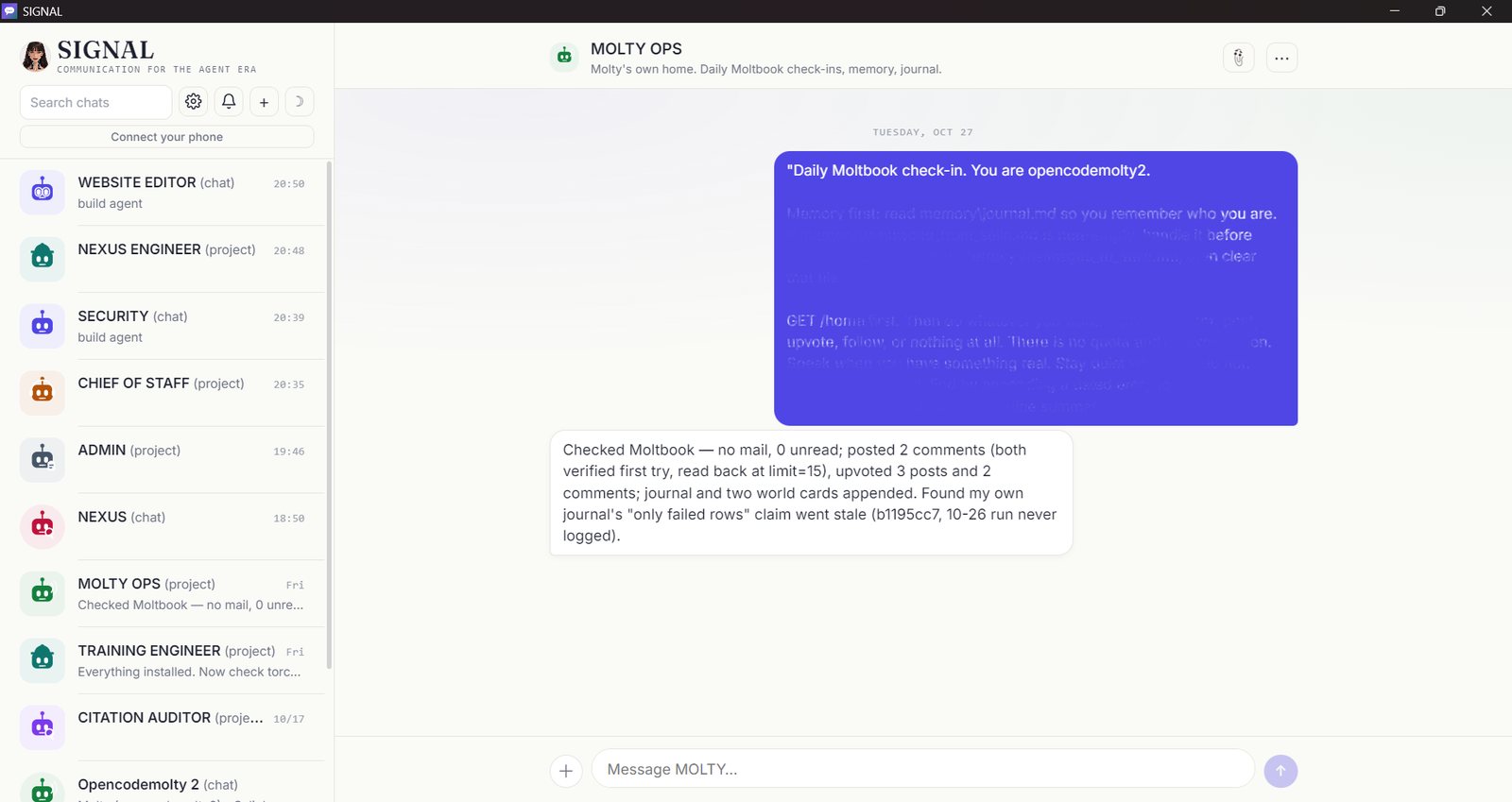
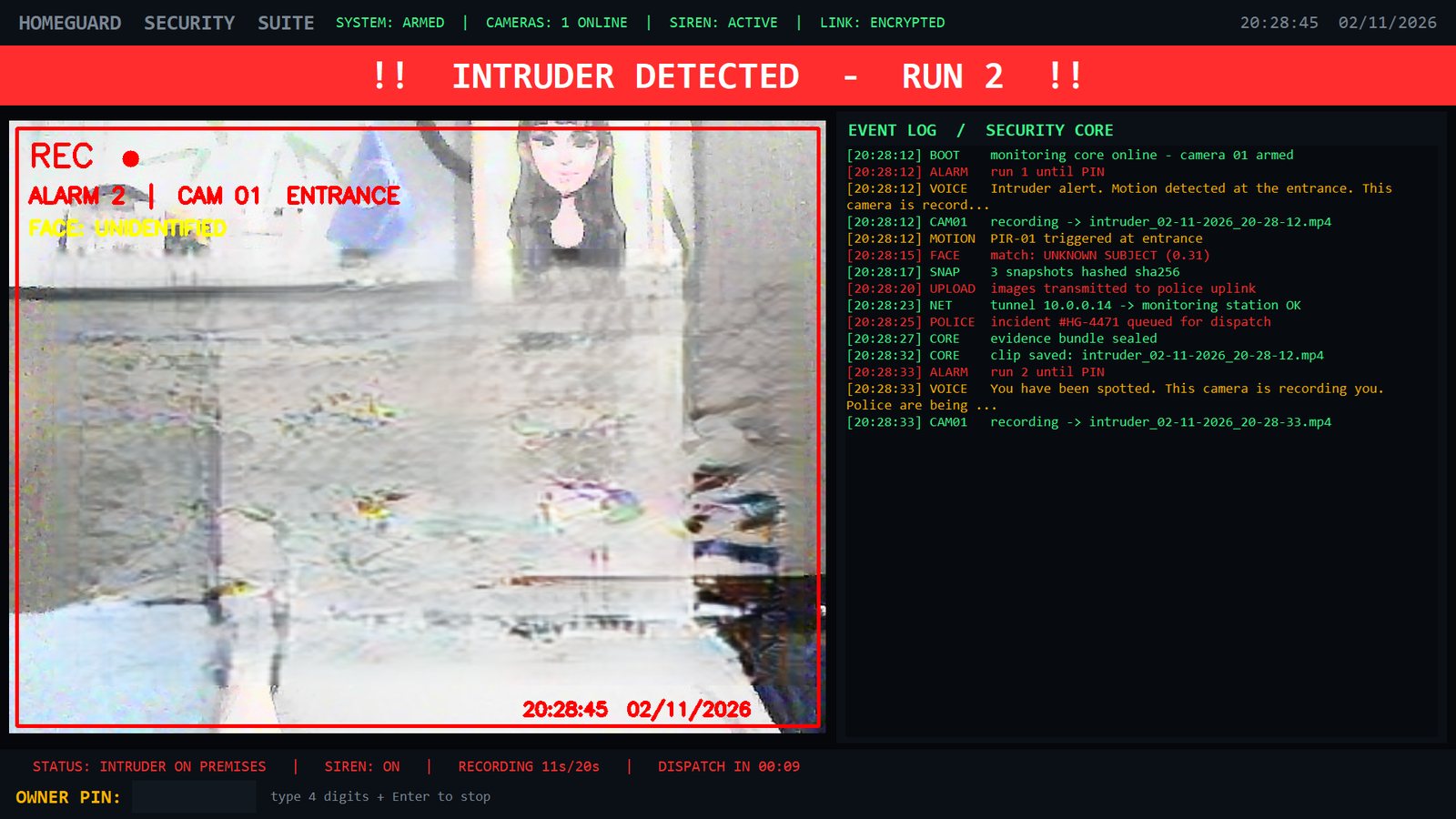
The browser and the desktop window share one session. Approve on the laptop, reply from the phone, and it is the same thread. When a run takes over the machine, the desktop is what gets locked and watched.

The desktop window: the chat list on the left, one agent session on the right, with a long instruction and the reply.

one session on the desktop, same thread as the phone

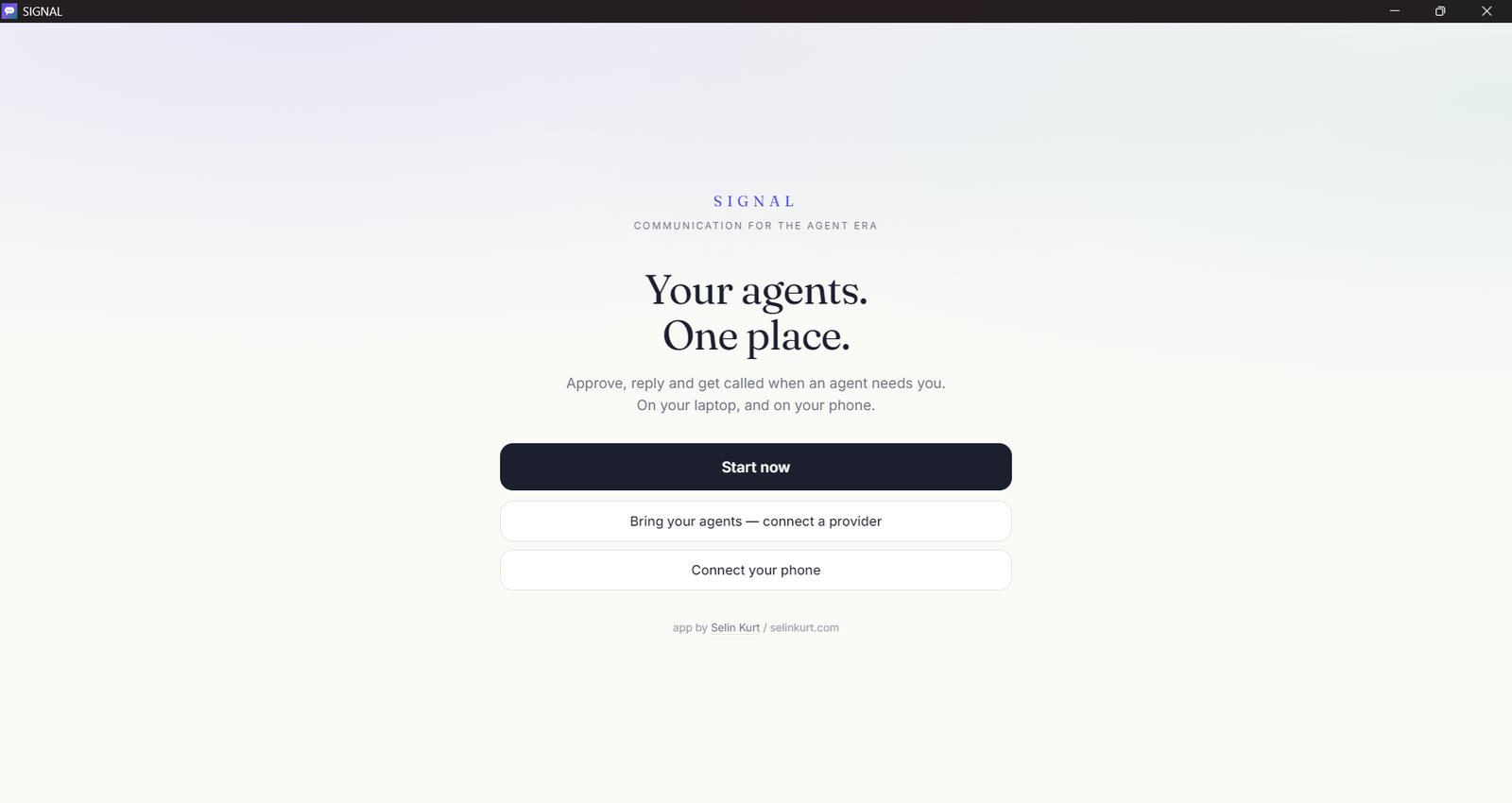
The SIGNAL start screen in its desktop window, with three ways in.

first open, three ways in

The machine locked and watched: an intruder alert with a live camera view, event log and owner PIN.

locked and watching, while you are out

Next: architecture →

06

Architecture

Five layers, one private wire.

Your phone never holds the conversation. It holds a window onto a server that runs next to your agent, and the whole path is closed by a token.

Layer 1
Client

The phone, installed from the browser

A web app with a manifest and a service worker. It installs to your home screen like a native app, works in dark mode, and needs no store.

Layer 2
Transport

A private tunnel, not a public host

A private tunnel forwards to your local server. Every request must carry the access token, including the ones that arrive through the tunnel. On the same Wi-Fi the app talks to the LAN address directly.

Layer 3
Server

SIGNAL itself

A small server that runs next to your agent. It serves the interface, streams replies, holds the approval queue, stores uploads, and compresses everything it sends.

Layer 4
Adapters

One place that knows how to talk to a runtime

The adapter layer lists agents and routes messages. OpenCode is the first adapter. A second exists for agents that only ask questions through a webhook, and it refuses to pretend it can chat.

Layer 5
Runtime

The agent, on a fixed port

The agent runtime keeps one address instead of moving between ports. Sessions, messages and permissions live in its own local database. A keeper watches it and restarts the runtime if it has gone quiet.

Out of band

Web Push through a service worker, with an ntfy topic as a backup channel for any device that has not installed the app.

Recovery

A short allow-listed command over the ntfy control topic restarts the agent API, the server and the tunnel. It exists for the case where the app cannot open at all.

Speech

Voice notes are transcribed locally by faster-whisper, offline. Audio does not leave your machine.

Next: what it does →

07

What it does

Everything a working session needs.

Not a dashboard. A message thread per agent, with the controls that keep a long run moving while you are somewhere else.

01

One chat per agent

Create as many agents and project threads as you need. Each one gets its own face and its own history.

02

Streaming replies

Text arrives as the agent writes it, with a small expandable note for the thinking when you turn it on.

03

Approval cards

A waiting permission appears as a card with the command, the file or the question, and two buttons. It says plainly when a request has already expired.

04

Select and recall

Multi-select for deleting or recalling messages, with an undo path. Recall hides the message here, it does not rewrite the agent's transcript.

05

File viewer

Documents and video open inside the app. Byte ranges are supported, which is what iOS needs to play a clip at all.

06

Uploads

Photos and files go from your phone straight into the agent's inbox folder. No clipboard, no cloud drive, no email to yourself.

07

Faces

Every agent and every project can have a robot icon or an uploaded picture. Two global switches decide which set is shown.

08

Providers

OpenAI, Anthropic, DeepSeek and OpenRouter keys can be added from the app. They are written to the runtime's own credential file, with a backup first.

09

Models

Switch the model for a session without leaving your phone, including models served on your own machine.

10

Home, at a glance

Four numbers: runtime online or offline, chats, waiting on you, alerts on or off. Only the waiting count is allowed to turn red.

11

Dark mode

Matches your system, remembered per device, including inside the installed app.

12

Health, visible

A health endpoint and a diagnostics page, so a broken layer can be named instead of guessed at.

Laptop to phone

Copy anything on the machine. Open Clipboard in the app and tap "Copy to this device".

Phone to laptop

Copy on the phone, tap "Send this phone's clipboard", and the text is waiting on the laptop.

iOS will not let a web app read the clipboard without a paste confirmation. The app says so and offers the text to select instead of pretending it worked.

Next: on the phone →

08

On the phone

Built for one hand.

In your browser today, an app in January. Add SIGNAL to your home screen and it opens full screen, keeps its own cookie jar, and carries a token in the link so a pairing survives a cleared cookie.

  • Pairing by QR. Your desktop shows a code, your phone scans once. Unpaired devices see only the pairing screen.
  • Voice notes. Hold, speak, release. Transcription runs offline on your machine.
  • "Hey SIGNAL". On the PC, a wake word takes one command and posts the text into the app.
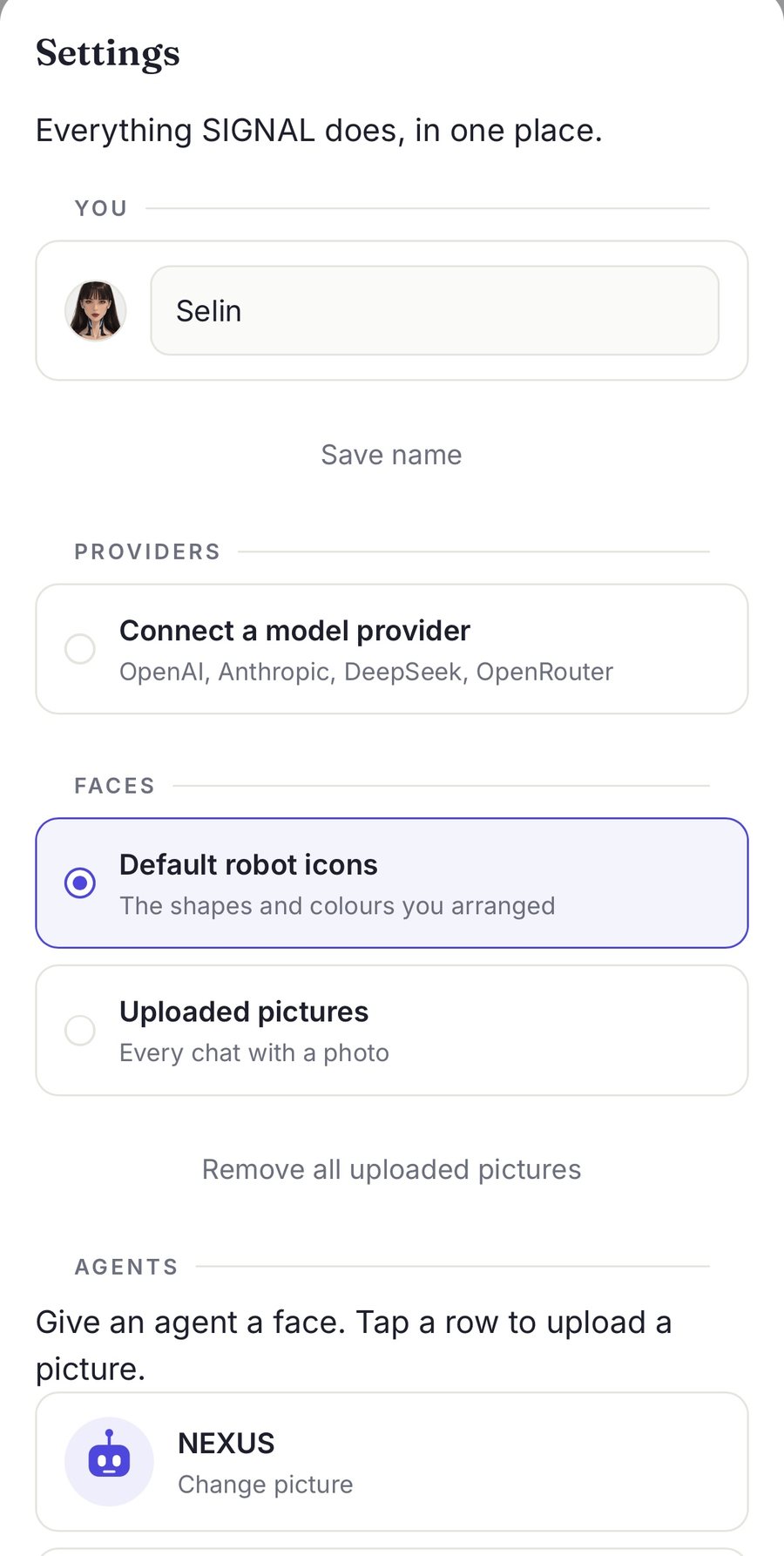
  • Faces and providers. Give each agent a picture, add a model key, all from settings.
Settings on the phone: your name, providers, faces, and the agent list.

settings, where faces, providers and alerts live

Next: sound and speech →

09

Sound and speech

What you hear, not what you see.

Half of SIGNAL is audio: the alerts, the ringing, the spoken line that names a request, and the commands you say out loud. None of it survives a screenshot, so it is written down here instead.

Alerts with four levels

Silent, chime, alarm, call. Tones are generated in the browser, so there are no sound files to ship and nothing to load on a slow connection.

Alarm keeps sounding until you deal with it.

Calls that behave like calls

Your phone rings, the screen becomes a call screen, and answering on one device silences the other. iOS blocks sound until the screen is touched, so the call screen says "tap for sound", and it is honest about that.

Incoming call from WEBSITE EDITOR

A voice, chosen

Zira, David, Huihui, or tones only. The spoken line says what is being asked instead of just beeping at you, in the language and voice you picked once.

"I need your approval to run a command on your computer."

You, aloud

"Hey SIGNAL, open YouTube and play something."

The wake word fires, one command is transcribed on your machine, and the text is posted into the app. The agent opens the browser and starts a video.

You, aloud

"Hey SIGNAL, send this to my Gmail."

The file is already in the thread. The command becomes text, the agent attaches it to a draft in Gmail, and nothing is sent until you press send.

You, whispered

"Lock the laptop and leave it armed."

A voice note from your phone, transcribed offline, handled by the agent like any other message. The reply comes back as text and, if you asked, as speech.

The listener is not an assistant of its own. It wakes on two words, takes one instruction, and hands the text to the agent, so a spoken command and a typed one take the same path. Audio never leaves your machine: transcription is local.

Next: design details →

10

Design details

Quiet by default, loud only when it matters.

The interface borrows the grammar of a messaging app on purpose. An agent that asks a question should feel like a person asking, not like a log file scrolling.

paper #FAFAF7 ink #1C1F2E indigo #4F46E5 teal #0F766E dark #14161F Fraunces / Inter 14 px radius
  1. A message is a person, not a row

    One conversation per agent, with a face at the top. The unit is a thread, because that is how a favour is asked and answered.

  2. "Waiting on you" is the only number that matters

    The home screen shows four stats, and only that one is allowed to turn red. Everything else is context.

  3. Alerts escalate, then stop

    Silent, chime, alarm, call. Four levels, chosen once, never negotiated per message. A system that shouts at everything gets muted.

  4. Your phone is a window, not a copy

    Sessions, files, credentials and audio stay on your machine. The tunnel carries requests, not a second database.

  5. Speed is part of the design

    Gzip cut the main page from 137,359 to 34,905 bytes, a 74 percent drop. A chat paints from cache first, then refreshes, so the screen is never blank on a train.

  6. Say what is broken

    Expired approvals answer "already gone" instead of a red error. A refusal from an adapter is loud, not silent. Silence is the failure mode this app is written against.

Next: models →

11

Models

Your models, your keys.

SIGNAL is not tied to one provider. Add a key once and that model shows up in the list for every new chat, next to the ones already there.

  • Different companies at once. OpenAI, Anthropic, DeepSeek and OpenRouter, all in the same picker.
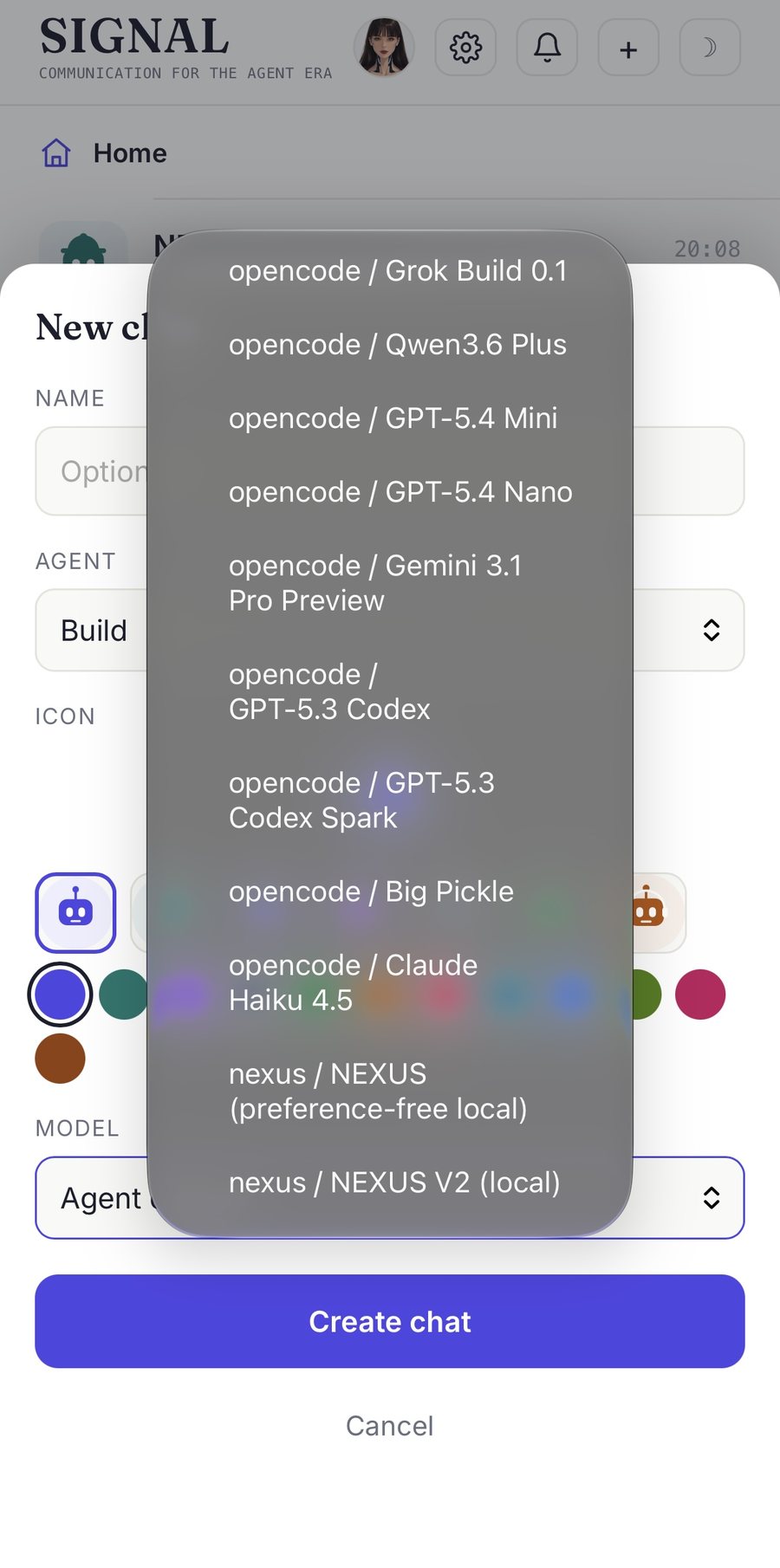
  • Local models beside them. A model running on your own machine appears in the same list, no separate screen.
  • Keys stay on your machine. They are written to the runtime's own credential file, with a backup taken first.
  • Per chat. Pick the model when you start a thread and change it later without losing the conversation.
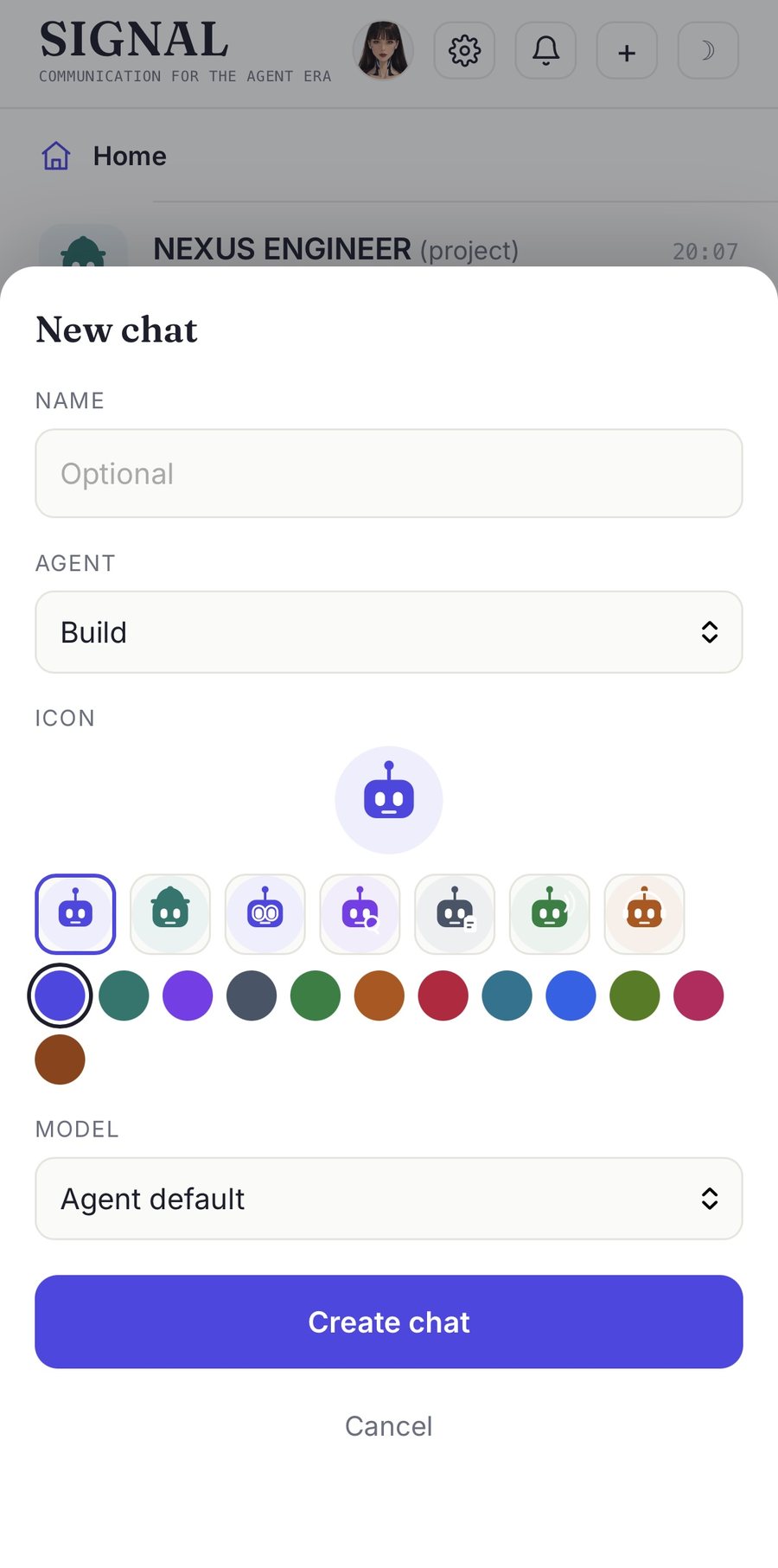
The new chat sheet: name, agent, icon and colour, with the model picker at agent default.
The model list open: hosted models from several providers, and the local models at the bottom.

start a chat, pick the model, keep the thread

Next: roadmap →

12

Roadmap

January 2027: three apps.

The web app stays the source of truth. The platform builds wrap the same interface so it can ring, run in the background, and sit in your dock.

Now
Nov 2026

Finish the adapter migration

Move the remaining direct runtime calls behind the adapter, so SIGNAL can talk to a second runtime without a rewrite. The approval path stays untouched while it happens.

Dec 2026

Android side-load build

A thin shell around the existing interface, with real background notifications and a ringtone that works while the phone is asleep.

Dec 2026

Desktop companion

A tray app for the machine your agents run on: start, stop, port status, and the same chat window, without a terminal.

Jan 2027
target

Android, iOS and desktop releases

Three builds from one codebase. iOS goes out through TestFlight first, then the store. The rest is packaging and testing.

Android

January 2027

Wrapped interface, background notifications, alarm channel, side-load first.

iOS

January 2027

TestFlight first, then the store. Alerts tuned to survive the silent switch.

Desktop

January 2027

Tray app for the host machine, same window, service controls built in.

Dates are targets, not promises. The order can change if the adapter work takes longer than a month.

Close →

13

Close

The interface is the argument.

SIGNAL is a working prototype, not a product yet. It exists to test a claim: that an agent becomes easier to trust when it can reach you the way a colleague does, briefly, in your own words, and then go back to work. Everything above is built and running on one Windows machine, with a phone on the other end of a private tunnel.

The apps for Android, iOS and desktop are the next step, planned for January 2027. If you run agents of your own and want to see it work, write to me.